
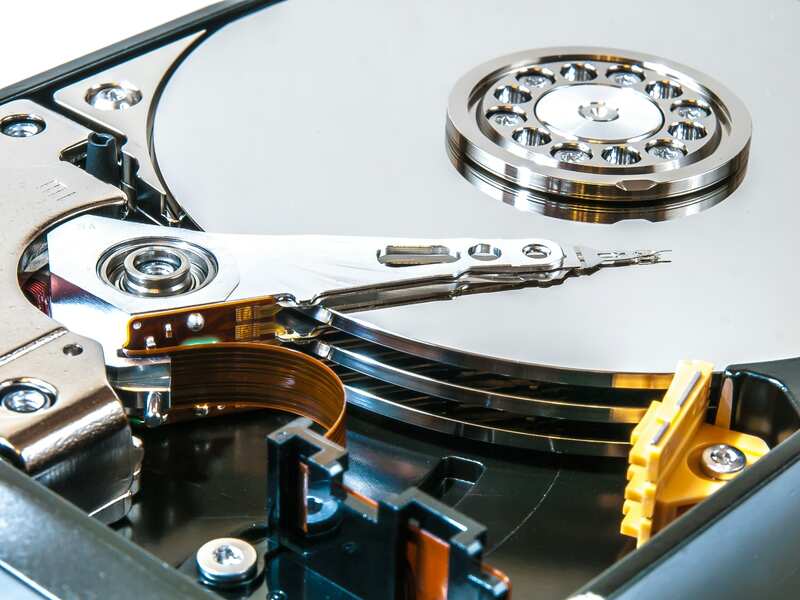
Lost important files, family photos, or business documents? Mount Vernon Computers specializes in recovering data from crashed hard drives, corrupted systems, and accidental deletions for Alexandria families and businesses. We use professional-grade recovery tools and techniques to retrieve files that other shops might consider lost — and we always give you an honest assessment before starting any work.
Data loss can happen without warning — a hard drive clicks and stops spinning, a power surge corrupts your files, or you accidentally delete something irreplaceable. Whatever the cause, the important thing is to act quickly and trust the recovery to someone with the right tools and experience. Alexandria residents have relied on Mount Vernon Computers for data recovery because we treat every case with urgency and care, recovering what matters most to you.

Act Fast, Recover More
The sooner you bring in a failing drive, the better your chances. We prioritize urgent cases and start immediately.
Your Data Stays Private
Every recovery is handled with strict confidentiality. Your files are never shared, copied, or stored beyond delivery.
No Data, No Charge
If we can’t recover your files, you don’t pay for the recovery attempt. That’s our commitment to honest service.
What we recover
Hard drive crash recovery
We use specialized tools to extract files from drives your computer can no longer recognize — even when mechanical or electronic failure has occurred.
Accidentally deleted file restoration
There’s often a window to recover deleted data before it’s overwritten — the sooner you bring the drive to us, the better your chances.
Corrupted drive & partition repair
When the file system is damaged from unexpected shutdowns or failed updates, we repair structures and restore access without data loss.
SSD and flash drive recovery
Solid-state storage handles data differently than traditional drives, requiring specialized knowledge and tools for successful recovery.
Email and document retrieval
We recover the files you rely on most — business correspondence, legal documents, financial records, and personal communications.
Photo and video recovery
We use forensic-level tools to scan drives for image and video fragments — even when the file system says they’re gone.
Ransomware data recovery
We explore every available option — backup restoration, decryption tools — without encouraging payment to attackers.
External drive & USB recovery
Dropped, bent, or improperly ejected portable drives can lose data, but we recover files from hard drives, USB sticks, and SD cards.
Common signs of drive failure
If you’re seeing any of these messages or symptoms, your data may be at risk:
Storage media we recover
Storage brands we recover from
 Western Digital
 Seagate
 Samsung
 Kingston
 SanDisk
 Crucial
 Hitachi
 Maxtor
 Toshiba
Stop using the device immediately
If your hard drive is clicking, grinding, or your computer can’t detect the drive — power it off right away. Continuing to use a failing drive can cause permanent data loss and make recovery significantly harder or even impossible.
- Don’t restart a computer with a failing drive — each attempt can worsen the damage.
- Don’t run recovery software on the same drive — it can overwrite the data you’re trying to save.
- Don’t open the drive — even a speck of dust can destroy platters and heads.
The sooner you bring it to us, the better your chances. Call us at 703.635.4265 for immediate guidance.
What customers say
I am pleased and impressed by the quick response and services provided. I’d been dreading the task of getting my computer serviced and Daryl made it so easy. He picked it up, kept in touch regarding what it needed, and when he returned it, took the time to show me some shortcuts and navigation tools.Read full review
Daryl is a phenomenal resource. He is competent and professional, but very personable. He has never shamed me for my occasional (OK, frequent) ignorant questions about my software nightmares. He just patiently explains the concept and informs me of my options. He then works with blazing speed and before I know it, I am back in business. You will not be sorry if you use his services.Read full review
Mount Vernon Computer Repair has always had great service for me and my family. We can rely on Daryl to fix, check and update our computer systems for the last 3 years! I highly recommend Daryl to all my friends and family.Read full review
Frequently asked questions
Can you recover files from a crashed or dead hard drive?
Often, yes. We recover photos, documents, and other files from failed hard drives, SSDs, laptops, and USB drives. Stop using the device right away to give recovery the best chance.
What should I do right after I lose data?
Turn the device off and don't install recovery software or keep using it — every write can overwrite what you're trying to save. Then call us.
How long does data recovery take?
Many recoveries are done the same day or within a few days, depending on the damage and how much data there is.
How can I avoid this in the future?
Set up automatic backups with at least one copy off-site or in the cloud, and test a restore once a year. We can set this up for you.
How much does it cost?
Every job is different, so we diagnose the problem first and give you a clear, upfront quote before any work begins — no surprises. And with our No Fix, No Fee guarantee, if we can't fix it, you don't pay for the repair. Call 703-635-4265 for a quick estimate.
07 / GET STARTED
Need data recovery
now?
Stop using the device and contact us. We’ll assess your case honestly and move quickly to recover what matters.