
On-site printer & peripheral support throughout Falls Church, including Falls Church City, Seven Corners, Baileys Crossroads, Merrifield, and surrounding areas.
Every printer setup visit in Falls Church ends with a plain-English explanation of what we found and fixed. Mount Vernon Computer Repair provides printer setup in Falls Church, VA for homes and small businesses. We also help Falls Church customers with HP printer repair and wireless printer setup. Our printer setup service covers all of Falls Church, on-site or remotely, seven days a week from 10 AM to 9 PM. Looking for printer setup near Falls Church? Call (703) 635-4265 to talk with a local technician.
More Falls Church services →Printer and device setup near you in Falls Church
From the shops along Broad Street to homes near the W&OD Trail, Tinner Hill, and Eden Center, Mount Vernon Computer Repair brings printer and device setup right to your door, no hauling equipment to a store and waiting days for answers.
The Little City has a strong small-business community, and we’re glad to be the local tech help its homes and storefronts can call.
“Once again, Daryl saved the day and fixed my computer! I have used his services for more than 10 years. He’s very knowledgeable, professional, with reasonable prices.”
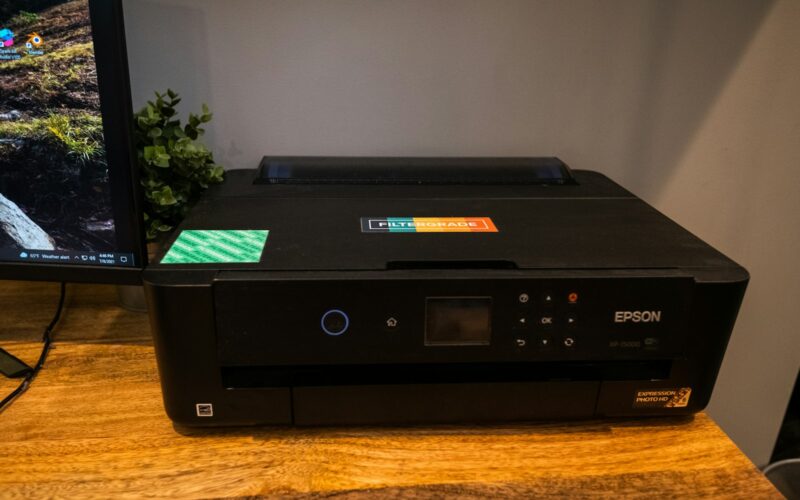
Printer and device setup in Falls Church is one of our most frequent calls for both homes and small offices. Wireless printers drop off the network after a router change or update, and suddenly every computer reports them as offline.
We give printers a fixed network address, install the correct drivers and remove the duplicate printer entries that confuse Windows. For offices, we set up shared printing and scanning so everyone can use the same machines.
Shared printers in a small office
A shared office printer works best with a fixed address, current firmware and one clean driver on each computer. We also set up scan-to-email or scan-to-folder so staff are not walking documents back to their desks to scan them one at a time.
What sets us apart
Wireless Connection
Your printer connected to Wi-Fi and configured to print reliably from every device in your home or office.
Tested From Every Device
We don’t leave until printing works perfectly from every computer, phone, and tablet that needs access.
All Peripherals Welcome
Printers, scanners, monitors, docking stations, USB hubs, if it connects to your computer, we set it up.
What We Handle
Complete printer unboxing, assembly, and placement
Driver installation and wireless network connection
Test printing from all computers and devices in your home or office
Scanner, fax, and multifunction device configuration
External monitor, docking station, and USB hub setup
Troubleshooting existing printers that stopped working
Plug In and Go
We don’t leave until everything is working, tested and verified from every device that needs to connect. No mystery drivers, no compatibility headaches.
What customers say
My teenager did not properly back up her laptop. So, when it totally crashed she lost access to her English final and all her junior year school files. In a panic we called Daryl on a Sat morning. He was able to retrieve all her files and make them available for use on either a PC or Mac. We have both and were not sure which computer would be used to finish up the school year. We had the all her files by 6pm that same Sat. You will not go wrong with Daryl. His prices are reasonable and we found him knowledgeable and honest. We will be using Daryl again for any future problems.Read full review
This assignment entailed setting up a new laptop, and transferring several programs and considerable data accumulated on my old laptop over the last 10 years. The job was undertaken by Calvert who showed himself to be knowledgeable, efficient and fluent in a range of technical activities.Read full review
Daryl has always done exactly what needs to be done, for the price quoted, and in the time estimated. He doesn’t take advantage of my relative tech ignorance, and answers all of my questions – even the stupid ones. You can’t go wrong.Read full review
Questions from Falls Church neighbors
Can you get the receipt or label printer working at my Falls Church business?
Yes. We set up and troubleshoot office, receipt, and label printers and make sure they work from every computer that needs them.
Can you set up a scanner too?
Yes. We set up scanning to your computer or email and show you how to use it.
Why does my printer say it’s offline?
Usually it has lost its Wi-Fi connection or picked up a new network address. We reconnect it and set it up so it stays connected.
GET STARTED
Ready when
you are.
Tell us what’s going on and where you’re located. We’ll find a time that suits you and take care of the rest.